How to Keep a Digital Udhar Khata: The Complete Guide
12 June 2026 · LenDen Team · 10 min read · updated 6 August 2026
A digital udhar khata rests on three ideas: parties (who you deal with), entries (what was given or received, dated), and balances (which the app calculates, never you). Get those three habits right and your khata stays accurate on its own. This guide walks the whole setup, including the parts most people get wrong.
The short version
- Add parties with enough detail to tell two Rameshes apart.
- Log every entry the same day, with what it was for — not just a total.
- Never edit a balance directly. Balances are calculated; entries are the truth.
- Fix mistakes with a correcting entry, not a delete.
- Fifteen minutes a week reviewing balances is what keeps it useful.
Step 1: Add your parties properly
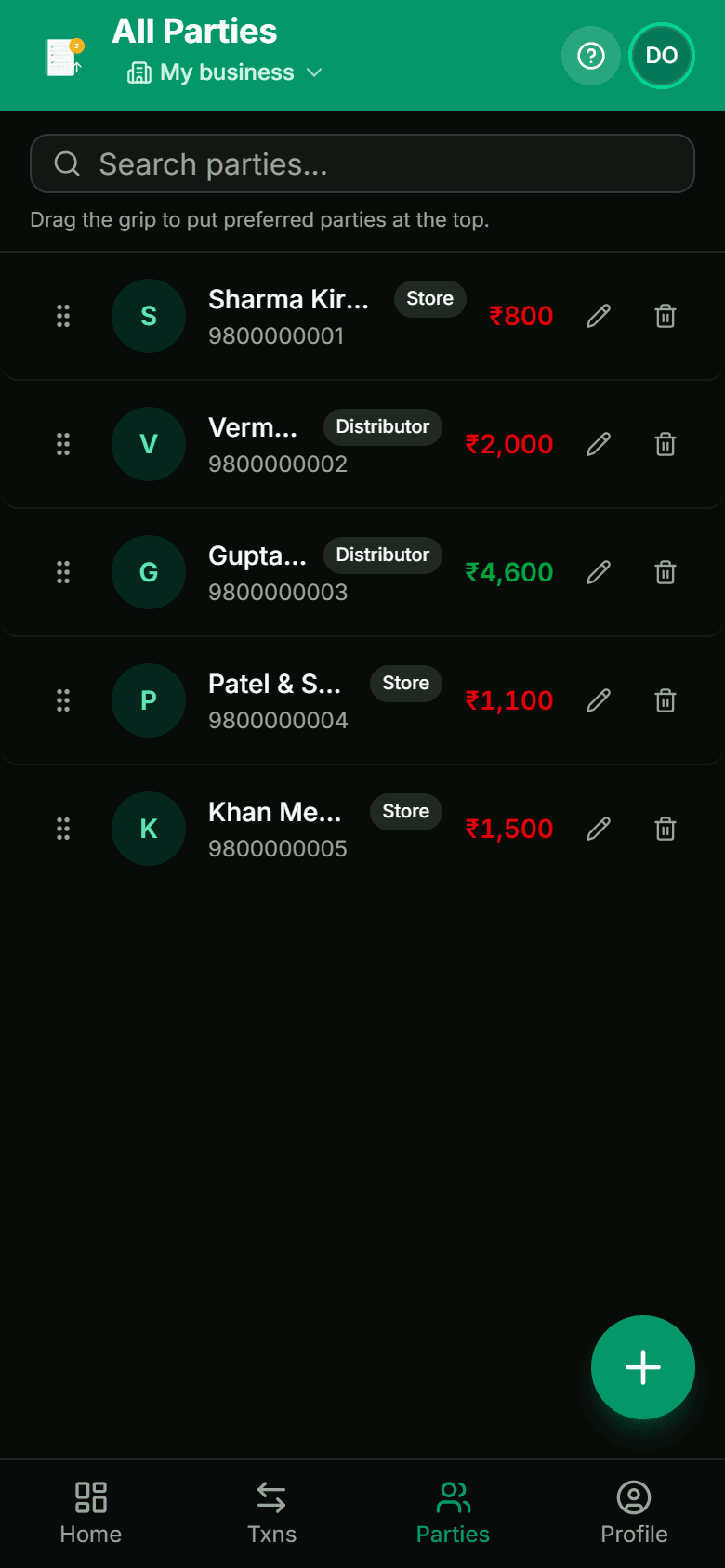
A "party" is anyone you do len-den with — a customer buying on udhaar, a distributor you pay, an agent, a staff member taking an advance.
Add a name at minimum. Two fields are worth the extra seconds:
- Phone number. This is what makes following up possible later. Adding it at setup takes five seconds; hunting for it when a ₹3,000 balance is 40 days old takes real effort.
- A distinguishing detail. "Ramesh (medical shop)" and "Ramesh (Gali 4)" save you from the single most common khata error: entering a transaction against the wrong person with the same first name. When that happens you get two wrong balances and no obvious way to spot which entries moved.
Start with the parties you deal with weekly — usually 20 to 40 names. Do not try to enter everyone you have ever sold to. Parties can be added in seconds when they next walk in.
If you are migrating from a paper bahi khata, enter each party's current outstanding balance as one opening entry dated today. Do not re-type years of history. You need today's position to be correct; the old notebook remains your archive.
Step 2: Record every entry the same day
Each entry is one of two things:
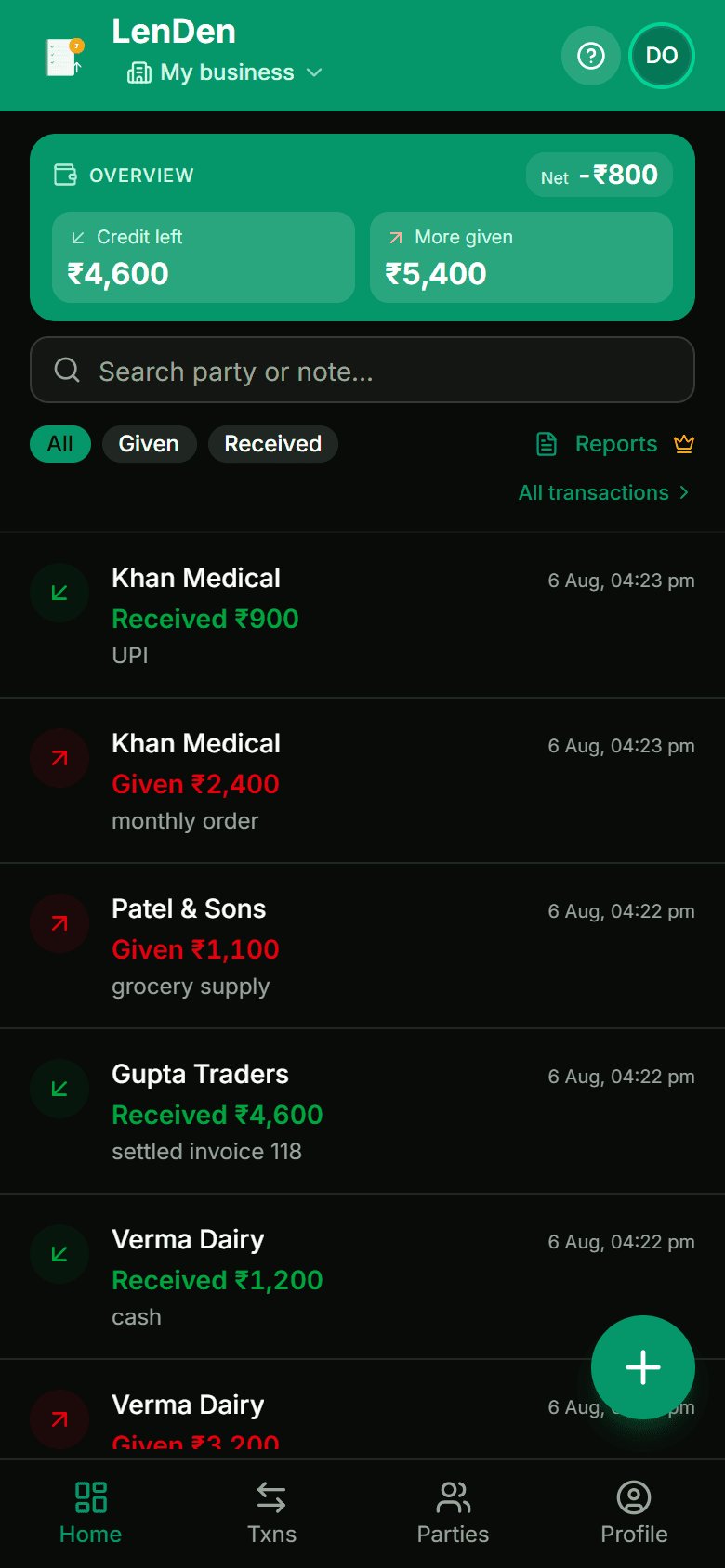
- Given — money or goods you handed over on credit. The party now owes you.
- Received — money the party paid back.
That is the entire model. Everything else the app shows is derived from these lines.
The rule that makes or breaks a digital khata: enter it while the customer is still standing there. Not at closing, not tomorrow morning. Entries deferred to the end of the day get rounded, merged, and sometimes missed entirely — and a missed entry is invisible. You will never notice the ₹400 that was never recorded.
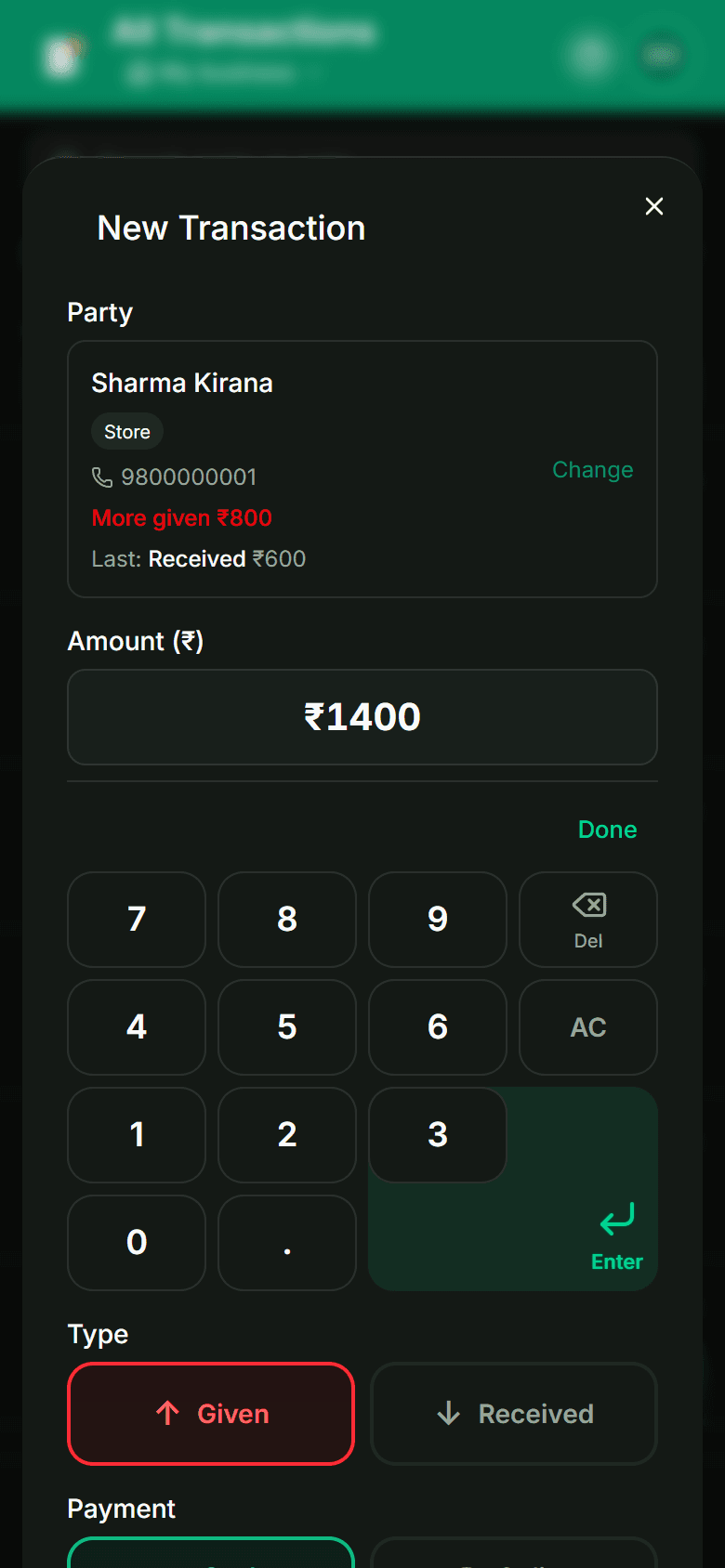
Include what it was for. "₹1,400 — 2 kg oil, 1 atta, 1 dal" is worth far more than "₹1,400 — goods" when someone questions the total in November. It costs three extra seconds.
If you handle a distributor list or log many amounts at once, entering them one at a time is the wrong tool — batch entry clears fifty amounts in about two minutes. In LenDen it sits on the paid tier, as do CSV and PDF exports; worth knowing up front rather than discovering it at the counter.
Step 3: Read the balance correctly
After each entry the party's balance recalculates automatically. You never add anything by hand — and this is the actual point of a digital khata, not the convenience of typing instead of writing.
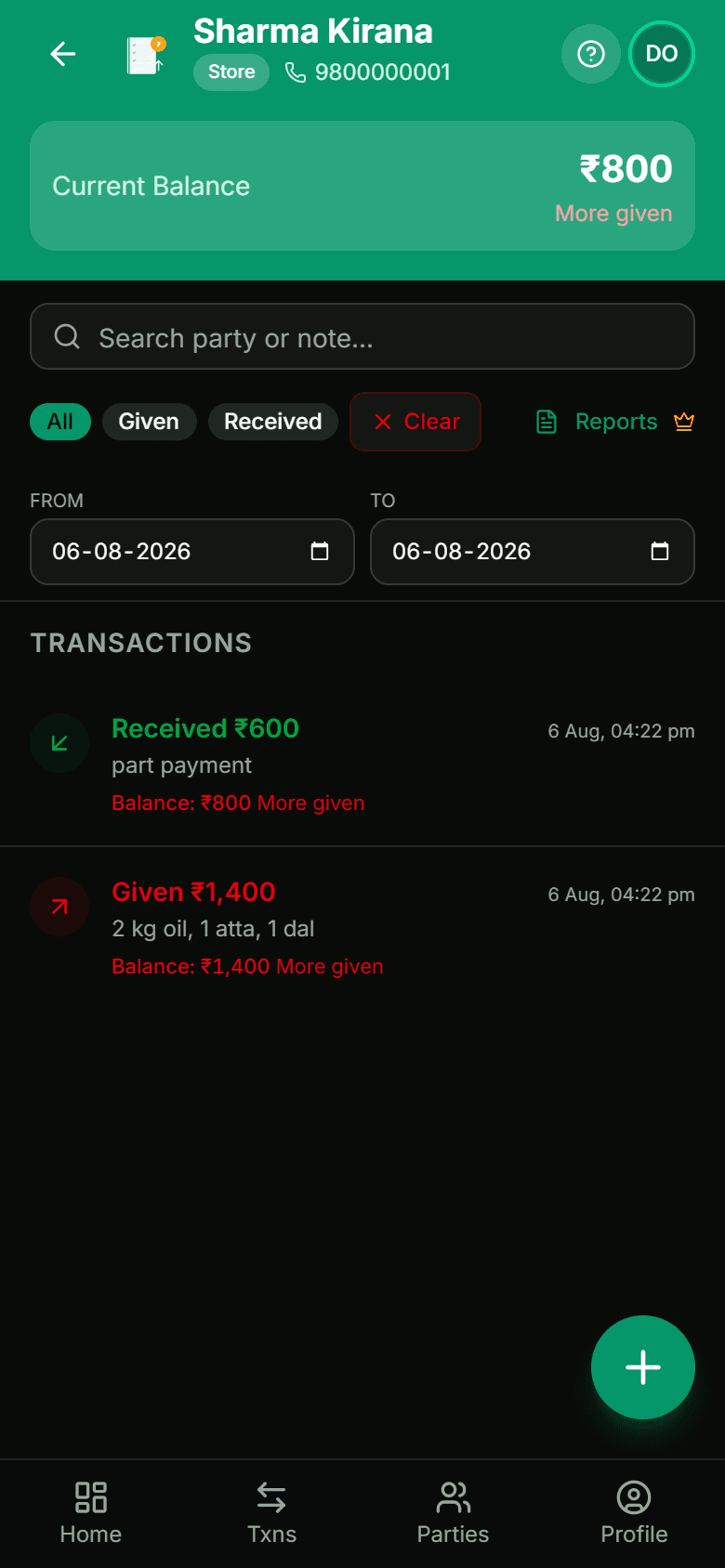
Balances are derived from entries, not stored as a number someone edits. That distinction matters more than it sounds. If an app lets you overwrite a balance directly, the balance and the entry history can disagree, and you have no way of knowing which is right. In a properly built khata the balance is always the sum of the lines, so if the total looks wrong you go find the wrong line.
Most apps offer two ways to read it:
| Mode | Shows | Suits |
|---|---|---|
| Credit / shopkeeper mode | "Kitna baaki hai" — one number per party | Day-to-day counter work |
| Accounting mode | Debit and credit columns | Sharing with an accountant, or GST filing |
Pick whichever matches how you actually think. Neither changes the underlying data.
Watch for cached balances
Some apps store a party's total on the party record for speed. It looks fine until a backdated entry or a reversal quietly leaves the stored total out of step with the entries. If you are choosing an app, this is worth asking about — a khata where the numbers can drift is worse than paper, because paper at least does not pretend.
Step 4: Fix mistakes without destroying history
You will make wrong entries. The question is what happens next.
The wrong way is deleting the entry as though it never happened. The balance corrects, but the record of what you did disappears — and when a customer says "I paid you ₹500 in July," you have nothing to show either way.
The right way is a correcting entry: a dated line that reverses or adjusts the original, leaving both visible. The balance ends up the same, but the khata can explain itself.
Practically:
- Wrong amount — post the difference as its own entry, with a note.
- Wrong party — reverse it on the wrong party and enter it on the right one, same day, same note.
- Duplicate — reverse the duplicate rather than deleting it, so the pair is visible.
This is the habit that turns a khata from a convenience into evidence.
Moving off paper without losing a year
The migration is where most people stall, usually because they imagine re-typing the whole notebook. You do not.
What to carry over: each party's current outstanding balance, as one opening entry dated the day you switch, with a note like "opening balance from bahi khata". That is it.
What to leave behind: every historical transaction. Your paper khata remains the archive. If a dispute ever reaches back before the switch, you open the notebook.
For a shop with 30–50 parties this takes about an hour. Do it on a Sunday, not during trading hours, and do it in one sitting — a half-migrated khata where some parties are digital and some are still on paper is worse than either.
Two things to get right on the day:
- Reconcile before you enter. Add up each party's paper balance twice. Whatever you type in becomes the new truth, and an error entered as an opening balance is very hard to spot later.
- Tell your larger parties. "Ab hisaab phone pe rakh raha hoon, aapka balance ₹4,200 hai" — said at the point of switching — turns your opening figures into something they have already agreed to. It is the cheapest dispute prevention available.
Run both for a week if it makes you comfortable. Then stop writing in the notebook, because maintaining two records reliably produces two wrong records.
Sharing a khata with staff or a partner
If someone else serves at the counter, they will need to make entries — and this is where khatas get corrupted.
The failure mode is a shared login used by three people. Everything works until an entry is wrong, and then there is no way to know who made it or what they meant. Nobody is being dishonest; the record simply cannot answer the question.
What to look for instead:
- Separate access per person, so entries carry an author.
- Limited permissions where possible — a staff member who can add entries but not delete parties or edit historical lines.
- A visible history on each party, so you can see the sequence of entries rather than only the total.
If your app cannot do any of that, the workable compromise is that staff record on paper during the day and you enter them yourself at close. Slower, but at least one person owns the record. What you should not do is hand out your own credentials and hope.
For a partner who genuinely shares the business, separate access is not optional — a shared balance that either of you can change without trace is how partnerships end up arguing about money that was never actually missing.
Step 5: Keep it clean
Five things, none of which take real time:
- Enter daily, never weekly.
- Keep party names unambiguous — add the shop or area.
- Add a note for anything unusual: "advance for Diwali stock", "returned 1 kg — damaged".
- Do not create a new party for someone who already exists. Duplicates split a balance in two and both look small.
- Once a month, share a balance summary with your larger parties. Surprises are what cause disputes; a customer who has seen the running total every month rarely argues with it.
Step 6: Back up, export, review
A cloud-backed khata should back itself up without you thinking about it. If losing your phone would lose your khata, it is not set up correctly.
Exports matter at year end. Your accountant will want a party-wise summary and a full transaction list — CSV for working, PDF for filing. Check this works before you need it in a hurry.
Then the habit that does the real work. Once a week, fifteen minutes:
- Read the list of who owes you, largest first.
- Message anyone past a week.
- Flag anything past 30 days for a proper conversation.
- Note anyone approaching the limit you have set for them.
The full follow-up ladder — including what to say at day 7, 15, and 30 — is in the complete guide to managing udhaar.
Is it actually better than paper?
For most shops, yes — but not for the reason people expect. The gain is not the typing. It is that the arithmetic stops being your job, the record survives your phone, and you can answer "who owes me the most, and since when?" in two seconds instead of an evening.
Paper still wins on one thing: it never needs charging and never needs an update. If you want the honest trade-offs rather than a sales pitch, paper khata vs digital khata lays them out side by side.
That is the whole system. Add parties with real detail, log Given and Received the same day with what it was for, let the app do the maths, correct mistakes with entries rather than deletions, and spend fifteen minutes a week reading the list. Start your digital khata free — you can be set up before the next customer walks in.
Frequently asked
- What if I make a wrong entry?
- Correct it rather than deleting it. A good khata records a correction as its own dated entry, so the balance updates while the history of what happened stays intact. Silently deleting the original is what makes a khata impossible to defend when a customer disputes a total months later.
- Do I need internet all the time?
- No. Entries should save on your device immediately and sync when a connection returns, which matters in a shop with patchy mobile data. What you should check before committing to an app is that it tells you clearly when something is unsynced.
- Can I keep two shops in one khata?
- Yes, if the app supports separate businesses. Keep them separate rather than prefixing party names — mixed books make it impossible to tell which shop is actually making money, and separating them later is painful.
- Is my data safe if I lose my phone?
- That is the main advantage over paper. With a cloud-backed khata you sign in on a new phone and everything is there. A paper bahi khata that gets wet, lost, or burnt is simply gone. Confirm the app backs up automatically rather than expecting you to export.
- How long does it take to move from a paper khata?
- Plan about an hour for a shop with 30–50 parties. Enter the current outstanding balance per party as a single opening entry rather than re-typing years of history — you need today's position to be right, not the archaeology.