Moving Your Paper Khata to an App Without Losing History
21 August 2026 · LenDen Team · 7 min read
Migrate a paper khata by entering each party's current outstanding balance as one opening entry, dated the day you switch. Do not re-type history. For a shop with 30–50 parties that is about an hour's work, and the notebook remains your archive for anything older.
Most people stall on this because they imagine typing in three years of transactions. You do not need to, and you should not.
The short version
- Carry over today's balance per party, as a single dated opening entry.
- Leave every historical transaction in the notebook. Keep the notebook.
- Add up each paper balance twice before entering it. Opening errors are hard to spot later.
- Tell your larger parties their opening figure at the point of switching.
- Run both for a week at most, then stop writing in the notebook entirely.
Pick the day, not the moment
Do this on a Sunday evening or whenever your shop is quiet — never mid-trading. A migration interrupted by customers is how you end up with half your parties in the app and half on paper, which is worse than either.
Block one hour. Have the notebook, a calculator, and your phone.
Step 1: List the parties who actually have a balance
Go through the notebook and write down only the parties with something outstanding today. Not everyone you have ever sold to.
Most shops discover this list is shorter than expected — 30 to 50 names where the notebook has hundreds of entries. Settled parties do not need migrating; they get added the next time they buy on credit, which takes ten seconds.
While you are at it, note two things per party you will want in the app: a phone number (for following up later) and a distinguishing detail if two people share a first name. Adding "Ramesh (medical shop)" versus "Ramesh (Gali 4)" now prevents the single most annoying error in a digital khata — entries landing on the wrong person.
Step 2: Reconcile each balance twice
This is where the hour actually goes, and it is worth the time.
Add up each party's paper balance twice. Whatever you enter becomes the new truth. An error introduced as an opening balance is very hard to detect later, because there is no trail behind it to check — unlike every entry you make afterwards, which sits in a running balance you can read down.
Where a paper total is unclear — a page water-damaged, an amount scratched out, two figures that disagree — resolve it now rather than picking one. Options, in order of preference:
- Check against the party. "Purana hisaab ₹4,200 nikal raha hai, aapke hisaab se?" Most parties know their own number.
- Take the lower figure if you cannot verify. Claiming a number you cannot support costs you the relationship if it turns out wrong; conceding ₹200 does not.
- Note the uncertainty in the opening entry so future-you knows this figure was estimated.
Do not migrate a disputed balance quietly
If a party already disagrees with their total, settle it before the switch or enter it with the dispute noted. An opening balance that has sat unchallenged for six months looks agreed — and you will have lost the notebook context that would have let you argue it.
Step 3: Enter parties and opening balances
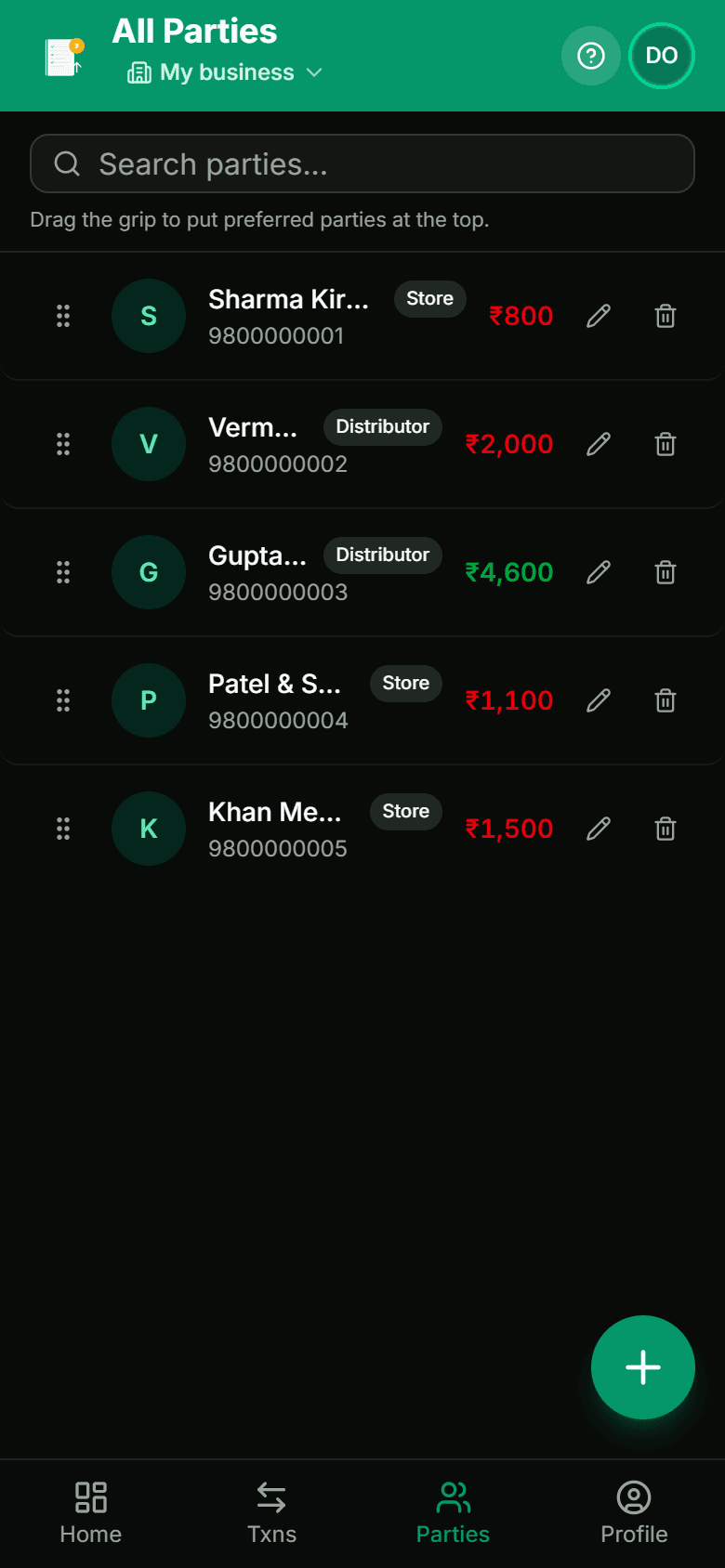
For each party: add them with name, phone, and type, then post one entry for the outstanding amount, dated today, in the direction that matches who owes whom.
Note it clearly: "Opening balance from bahi khata as on 21 Aug 2026". That note is doing real work — in a year, it is what tells you (or your accountant) that this figure came from paper and is not itself an itemised transaction.
If your app supports separate businesses and you run more than one shop, set them up separately now rather than prefixing party names. Mixed books make it impossible to tell which shop is actually making money, and separating them later means redoing this migration.
The mechanics of adding parties and entries are covered step by step in how to keep a digital udhar khata.
Step 4: Tell your larger parties
This step gets skipped and it is the cheapest dispute prevention available.
For anyone with a meaningful balance, send a message the same day:
Namaste Sharma ji 🙏 Ab main hisaab phone pe rakh raha hoon. Aapka current balance ₹4,200 hai. Check kar lijiye — koi farak lage toh bata dijiye.
Two things happen. The party gets a chance to correct a genuine error while the notebook is still to hand — which is precisely when you want to hear about it. And their reply becomes an acknowledgement of the opening figure, which matters both practically and, if it ever comes to that, legally: a written acknowledgement of a debt restarts the three-year limitation clock.
Anyone who does not reply, you have still put on notice.
Step 5: The first week
Two rules.
Enter every new transaction in the app, at the counter, the same day. This is the habit the whole migration exists to enable. If you keep entering on paper and copying over later, you have added work rather than removed it.
Run the notebook in parallel for a week if it helps you trust the app — then stop. Maintaining two records reliably produces two wrong records, because sooner or later you will update one and not the other, and you will not know which is right.
At the end of the week, spot-check three parties: does the app's balance match what you would have expected from the notebook? If yes, close the notebook, store it dry, and do not open it again unless something predating the switch comes up.
Keep the notebook
Not out of sentiment. Out of evidence.
Anything that happened before the migration exists only in that notebook. If a party queries a transaction from last year, or you need to substantiate an old figure, the paper is your only record. Keep it for at least three years — the general limitation period for recovering a debt — and somewhere it will not get wet.
Photographing the pages before you shelve it is twenty minutes well spent. A folder of dated page photos survives a flood, a rat, and a house move; the notebook may not.
What you get for the hour
Three things, immediately:
- The arithmetic stops being your job. No nightly totalling, no adding errors.
- You can answer "who owes me the most, and since when?" in two seconds, which is what makes the weekly review in the complete guide to managing udhaar actually happen.
- The record survives your phone. A cloud-backed khata restores on a new device; a notebook does not.
If you are still weighing whether to switch at all rather than how, paper khata vs digital khata lays out the trade-offs honestly, including the cases where paper still wins.
Frequently asked
- Do I need to enter years of old transactions?
- No, and you should not try. Enter each party's current outstanding balance as a single opening entry dated the day you switch. The notebook stays as your archive for anything older. You need today's position to be right, not a re-typed history.
- What do I do with the old notebook?
- Keep it, somewhere dry, for at least three years — the general limitation period for recovering a debt. It is your evidence for anything predating the switch, and it costs nothing to store.
- Should I run paper and the app together for a while?
- For a week at most, if it helps you trust the app. Beyond that, maintaining two records reliably produces two wrong records, because you will eventually update one and not the other.
- How long does the migration actually take?
- About an hour for 30–50 parties, if you do it in one sitting outside trading hours. The time goes on reconciling balances rather than typing.
- What if a party's paper balance is disputed already?
- Settle it before you migrate, or enter the amount you believe is correct and note the dispute. Do not carry an unresolved figure in as though it were agreed — an opening balance becomes very hard to argue about once it is months old.